
Echo Aviation Controller
Patrik has tried one of the strangest controllers he's ever used, but it turns out to be a fantastic, affordable way for newcomers to get started with flight simulators...
There's no doubt that aeroplanes and games make for a fantastic combination. There's something fascinating about gripping the control stick and flying over exciting landscapes and locations. Whether you're interested in military or civilian aircraft, there's always an option for those who enjoy this kind of experience. If you want to enhance the immersion or simplify flying even further, there is a whole industry of hardware developers selling flight sticks, controllers and other accessories to improve your experience. I've had the chance to test the Echo Aviation Controller by Honeycomb Aeronautical. They are a well-known name in the flight simulator hardware sector.
The first thing I asked myself was who this controller is designed for. It doesn't feel strictly designed for aviation enthusiasts who build their own cockpits and want the latest, most expensive and most realistic flying experience. These players will probably buy individual products. What I mean by that is that the Echo Aviation Controller is a bit of three things in one product, at a lower price than separate control methods. You get a joystick, knobs and a controller all in one product. That isn't necessarily a bad thing, but it means this will appeal to a certain type of user. My guess is that it's the casual aviation enthusiast and possibly you who want to dip your toes into flight simulators without going 'all in' and buying loads of peripherals for a lot of money. This controller costs $149.99/£126.00 to buy.
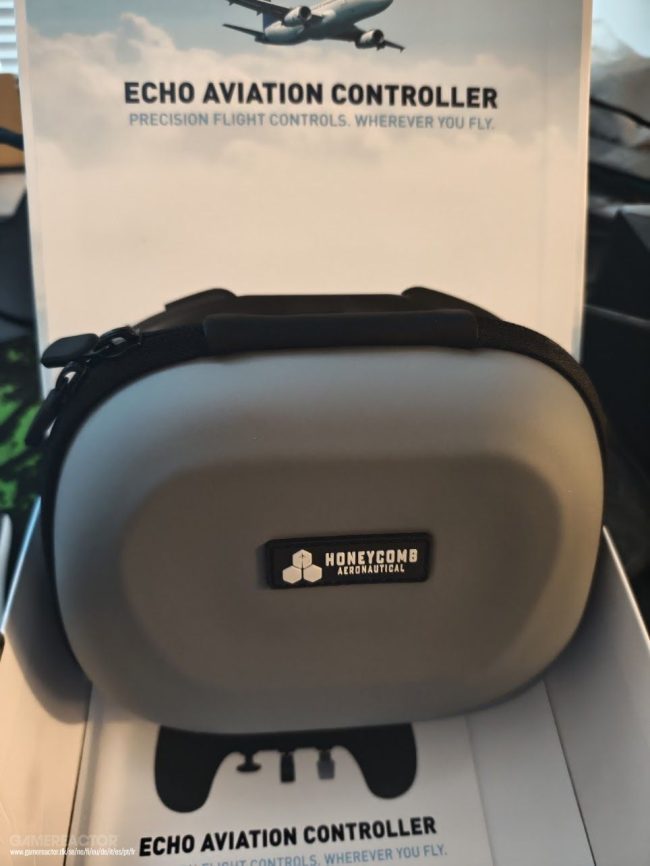
The box this remote control comes in is sturdy and easy to travel with.
If you see the controller as a complement to other options or a 'bit of everything' solution at a lower price, this could appeal to quite a few gamers. Today, we have games that combine simulator-style flying with ground and vehicle combat. Being able to have a joystick plugged in and ready to use to handle such situations both quickly and effectively is no bad deal if the joystick actually delivers. This is what I have tested in a number of games. I have also tested the joystick in some arcade-style games to see if it has anything to offer. My opinion is that it certainly does. It works best of all in flight simulators focusing on civilian aircraft. It's also quite good for flying military aircraft. However, I found there were too few buttons to perform everything a military aircraft needs to do, which required additional equipment.
My first test was in Microsoft Flight Simulator 2024. I chose to combine this with a mouse and a keyboard to see how well it enhanced the flying experience. I could essentially do everything with the controller that is relevant to the flying itself. You can adjust the controls, ailerons (the position of the buttons affects each other), trim, landing gear, and adjust the aircraft's rotation and direction using the joystick. The difficulty lies in other detailed tasks within the aircraft's menus, both on the ground and in the air. If you want to set flight routes, operate buttons, levers and certain specific types of equipment, you'll need a mouse and keyboard or another type of button solution. If you want it to feel seamless. It is, of course, possible to do these things with the controller, but I found it unnecessarily slow and that it worked better with the keyboard and mouse. This is worth bearing in mind if you are considering buying this controller.

The controller is of standard size with rubber grips. It also has an ergonomic design reminiscent of Microsoft's models.
I have to give Honeycomb some credit, though, for being able to handle so many things relatively painlessly. It feels good to fly with it, even though I prefer a flight stick, pedals and a full set of controls with keypads in front of me. The idea is that you should be able to take this wireless controller with you and play a bit wherever you are. It does that well; it has good battery life and doesn't take up much space. It also comes in a nice box with options to reconfigure the sticks and buttons if needed. You have a control panel that you can swap to get something resembling the controls in an Airbus, and even something that would be found in a Boeing. I like how simple it makes flying. You don't have to search for buttons; everything important is right in front of your eyes. This is the first time I've seen and tested such a high-quality solution. This controller isn't unnecessarily expensive; it's portable in a way that more expensive equipment isn't, and it's compact. Buying pedals, a joystick, a control panel and other accessories can cost significantly more and requires more time to programme and set up.
The Echo Aviation Controller is shaped like an Xbox controller. It's still one of my favourites in terms of ergonomics, and that's evident with this controller too. It has a certain sense of weight without being unnecessarily heavy, and it doesn't feel particularly plasticky, which makes it suitable for gaming on the go. However, it lacks what I would categorise as standard buttons. This isn't something you'd use to play Doom or any other action game. That said, it could certainly be used for purposes other than flight sims. However, that isn't its intended purpose, and you should use it as a complement to something else for controlling your computer. It is in this role that it excels. I haven't had any issues with the buttons, joystick or the weight of the controls when using it in flight sims. Everything works as it should in a fairly compact package. The included 2.4 GHz dongle is nothing special. However, the USB-C to USB-A adapter cable is useful if you don't have the right type of USB port or prefer to use a cable.

The controls are brilliant and make it easy to adjust various aspects of the aircraft.
I probably won't see this rather cool controller as a replacement for more expensive flight simulator hardware. That said, it is a high-quality controller that can make flying fun when you're on the move. Especially if you can't take a joystick and other equipment with you. I must admit that I'm happy with this type of controller and see its value in a different way. It's absolutely perfect for anyone who's wanted to try the genre but hasn't quite known where to start. It's easy to set up and doesn't overwhelm you with buttons. The joystick doesn't offer too much resistance either, which is perfect if, for whatever reason, you'd rather fly a helicopter than a plane. One drawback of a standard controller when piloting helicopters is that you often need to hold the joystick slightly in different directions. This can become tiring if you're flying for longer periods. I can't say whether there are better solutions in such a compact form for helicopter simulators specifically, but I did find it worked well in Flight Simulator 2024 and with their helicopters.
Unfortunately, I can't test the battery life (over several years) or how long a joystick like this will last over time (before it breaks). That said, you get 15 hours of wireless use and can plug it in with a cable. I was able to use it for more than 15 hours before recharging, and I've also had a situation where I needed to recharge the controller after 12 hours. I'm just as happy to play with a cable if the option is available, so I'm not dependent on battery life in the same way. That said, one might have wished for a bit more battery life than is offered, given that competitors on the market offer more than double that today.

The sliders affect each other. If you move one down, the other moves up.
If you're looking for an easy way to get started with flight simulators without having to spend the full cost of all the hardware that's usually required, the Echo Aviation Controller is a sensible option. You'll need to download game profiles from their website and update the drivers for the included dongle. Unfortunately, there is no app for this; instead, you'll need to do as people used to do on a computer and visit various websites. In this case, you'll need to visit Honeycomb Aeronautical's own website so that you can play your favourite simulators in the best possible way. If you play on Xbox and are keen on this, a controller of this kind will be available later in 2026.
I'm very happy with this, despite the somewhat short battery life and the lack of an app. Ultimately, this is more convenient and cheaper than buying all the aircraft equipment separately. However, you do miss out on some of the immersion, as well as the range of additional buttons and functions. If you can live with this or simply want to give flight simulators a go, this is one of the more innovative ways to do so that actually works. I haven't tested anything else like this that manages to make flying feel just as good. For that reason, I can highly recommend the Echo Aviation Controller. It's especially for those of you who don't need everything but want a simple way to enjoy these realistic flying experiences.

The menu buttons give the controller a few extra options for navigating the user interface. However, I recommend that you have a mouse and a keyboard to hand.

These levers can be programmed to control how much fuel is fed into the engine, as well as many other functions.
 Gamereactor